Access 201: Zero Trust - Identity Aware Proxy > Class - Access 201: Zero Trust - Identity Aware Proxy > Module 1 - Create an Identity Aware Proxy Source |
Lab 1.6 - SSO & HTTP Header
In this section you will configure HTTP Basic SSO.
Task - Create a HTTP basic SSO object
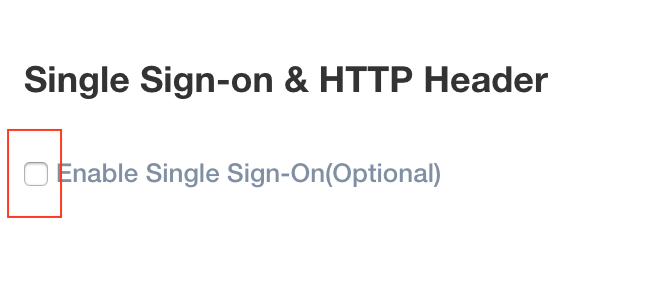
Check Enable Single Sign-On(Optional)
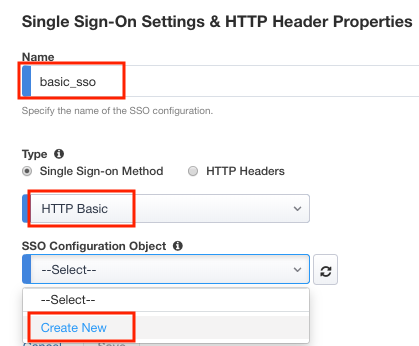
Enter the name basic_sso
Verify HTTP Basic is selected
Select Create New from the SSO Configuration Object dropdown box
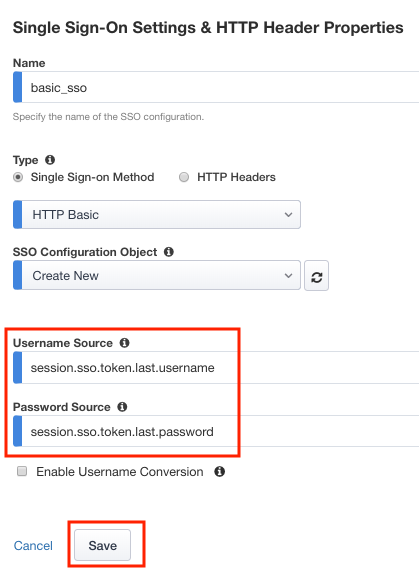
Verify the Username Source is session.sso.token.last.username
Verify the Password Source is session.sso.token.last.password
Click Save
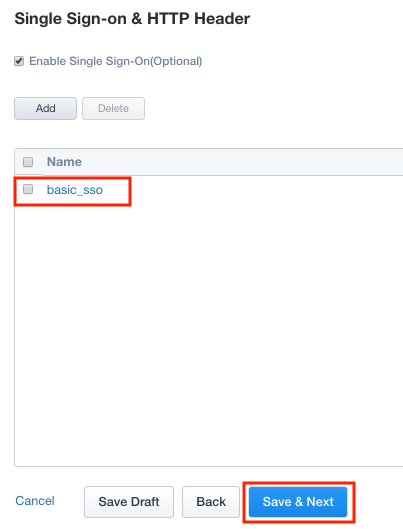
Verify the basic_sso object was created
click Save & Next