Access 201: Zero Trust - Identity Aware Proxy > Class - Access 201: Zero Trust - Identity Aware Proxy > Module 1 - Create an Identity Aware Proxy Source |
Lab 1.9 - Contextual Access
In this section you will define contextual access for the previously created application. Context access is where all of the previously created objects are put together to provide fine-grain access control.
Task - Create Contextual Access for basic-iap.acme.com
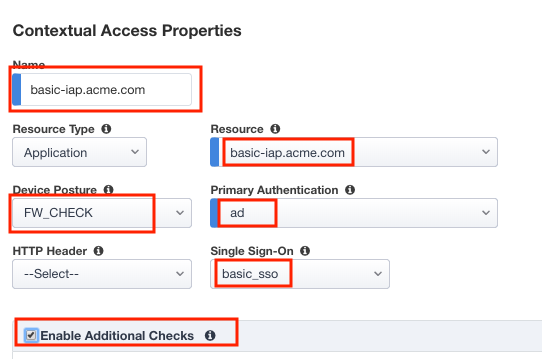
Enter basic-iap.acme.com for the contextual access name
Select basic-iap.acme.com from the Resource dropdown box
Select fw_check from the Device Posture dropdown box
Select ad from the Primary Authentication dropdown box
Select basic_sso from the Single Sign-On dropdown box
Check Enable Additional Checks
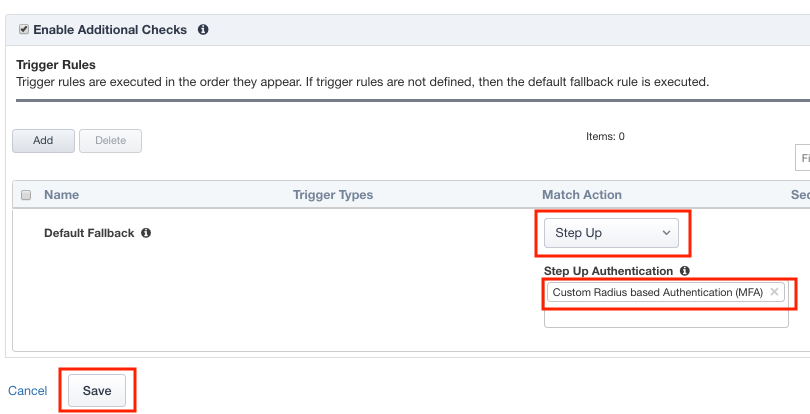
For the Default Fallback rule, select Step Up from the dropdown box under Match Action
Select Custom Radius based Authentication (MFA) from the Step Up Authentication box
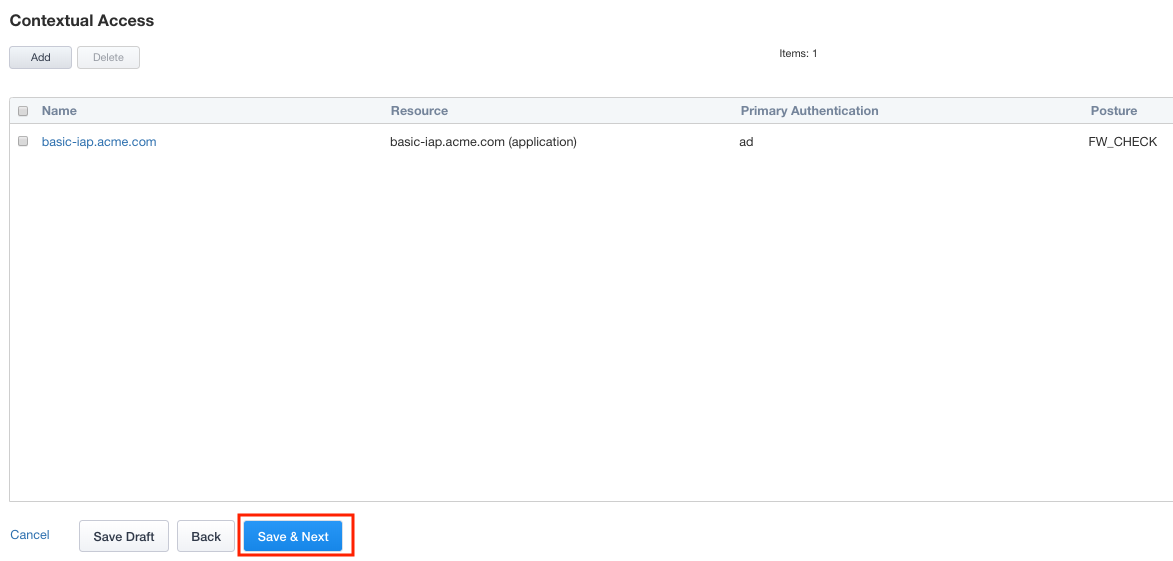
Click Save & Next