
Access 201: Zero Trust - Identity Aware Proxy > Class - Access 201: Zero Trust - Identity Aware Proxy > Module 4 - Explore AccessGuard Source |
Lab 4.1 - XML Configuration File
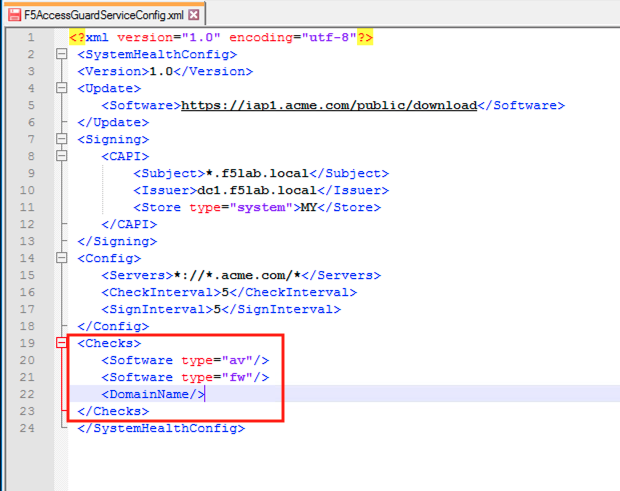
The F5 AccessGuardServiceConfig.xml file defines the settings used by the AccessGuard Service. This file contains settings for the signing certificate, timers, checks performed and websites posture data can be sent to.
Task - Explore the configuration file setting
Note
Additional settings can be configured in the XML file beyond this example. For further information see the article Configuring F5 AccessGuard on askf5.com - https://techdocs.f5.com/en-us/bigip-15-0-0/big-ip-access-policy- manager-access-guard-config/configuring-f5-access-guard.html
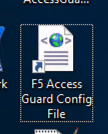
Open the 88F5 Access Guard** Config file shortcut located on the desktop by right clicking it and opening with notepad++
Note
The file is located in the C:\ProgramData\F5 Networks\F5AccessGuardService directory
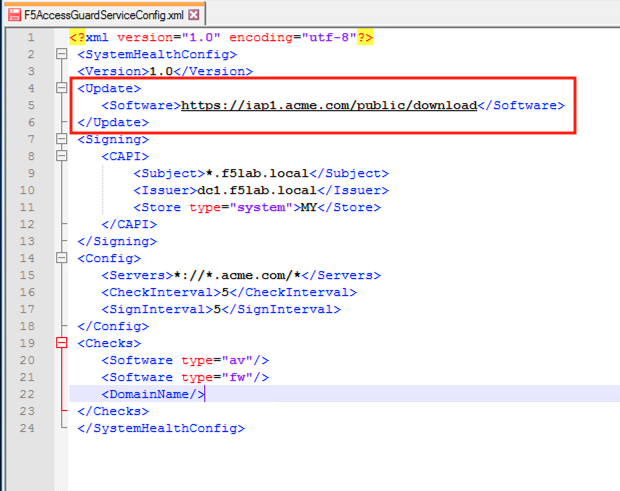
The Update section contains Software check library auto-update URI. The value specifies the location for software check (OesisInspector.cab) updates.
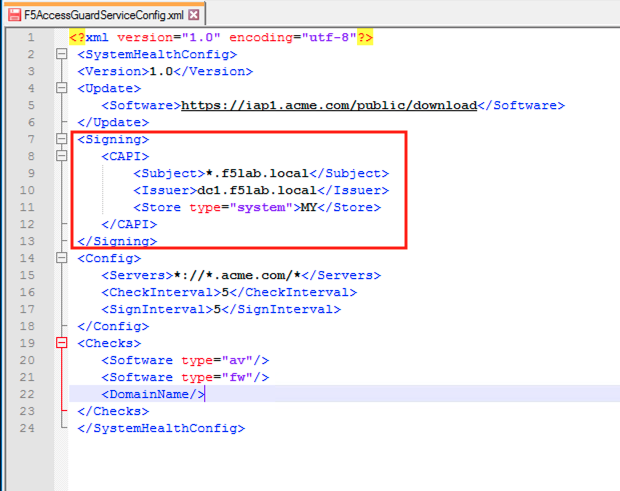
The Signing section contains the location, cert name, and Issuer Name, of the certificate/key pair used to sign the posture assessment data and
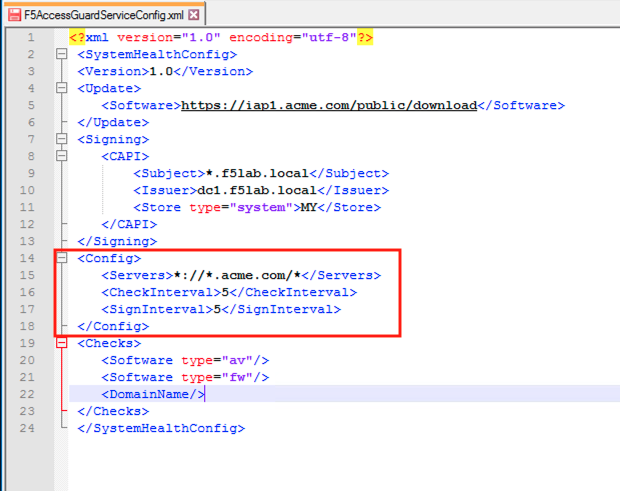
The Config section contain how often posture data is collect and signed. Also the Match patterns for URLs to which the health information would be sent via the HTTP header. This prevents AccessGuard from leaking client configuration data to an untrusted server.
The Checks section contains the check F5 AccessGuard Service will report on. As of 15.1 there are currently 10 different checks that can be performed.
Close the configuration file without saving it