Access 201: Zero Trust - Identity Aware Proxy > Class - Access 201: Zero Trust - Identity Aware Proxy > Module 1 - Create an Identity Aware Proxy Source |
Lab 1.2 - Device Posture
In this section, you will configure the IAP to perform posture assessment from client devices.
Task - Configure name of IAP Policy and enable Posture Checks
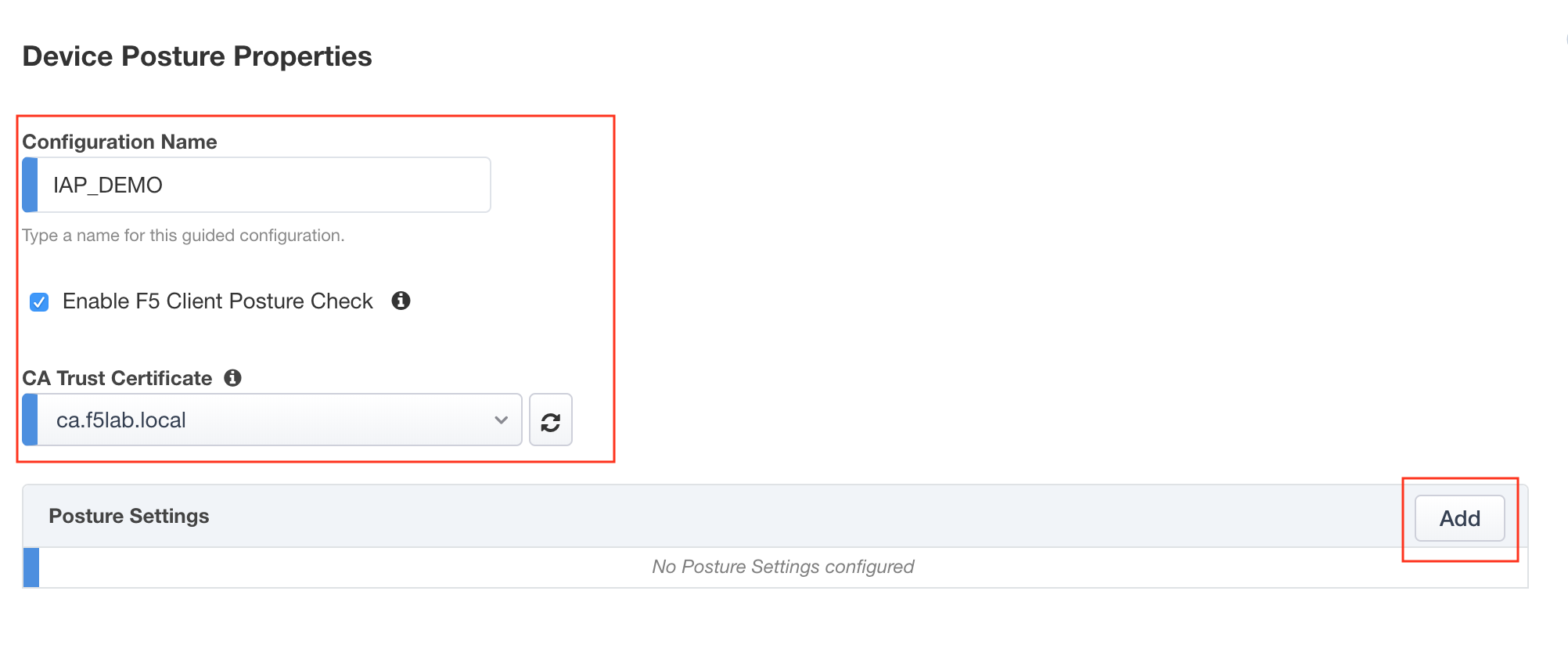
Define the configuration name IAP_DEMO
Check Enable F5 Client Posture Check
select ca.f5lab.local.crt from the CA Trust Certificate dropdown list
Select add to create a posture assessment group
Task - Define a firewall Posture Assessment
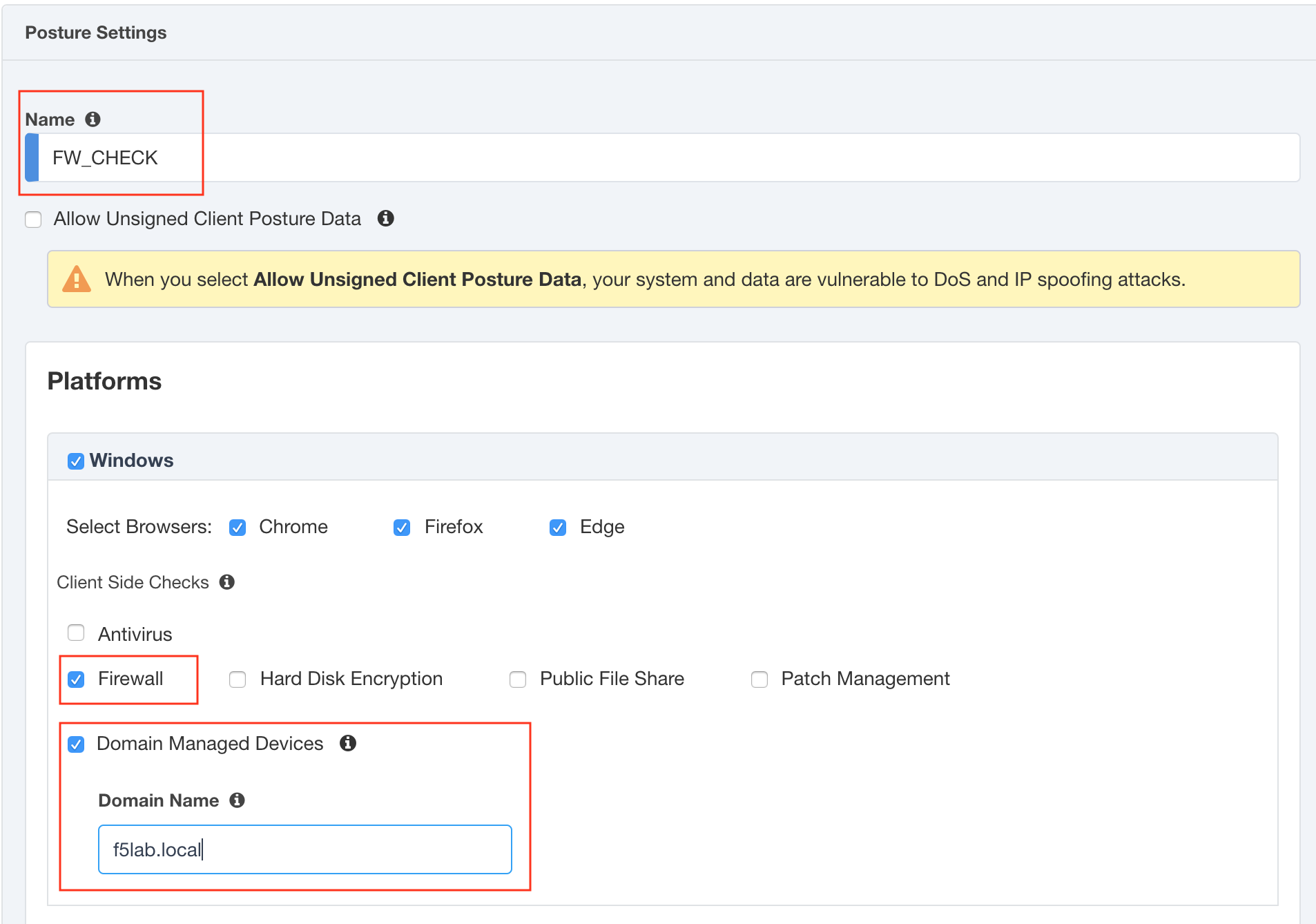
Define the Posture Group Name FW_CHECK
Check the enable a Firewall box
Check the enable a Domain Managed Devices box
Enter the Domain Name f5lab.local
Click Done
Task - Verify the posture assessment
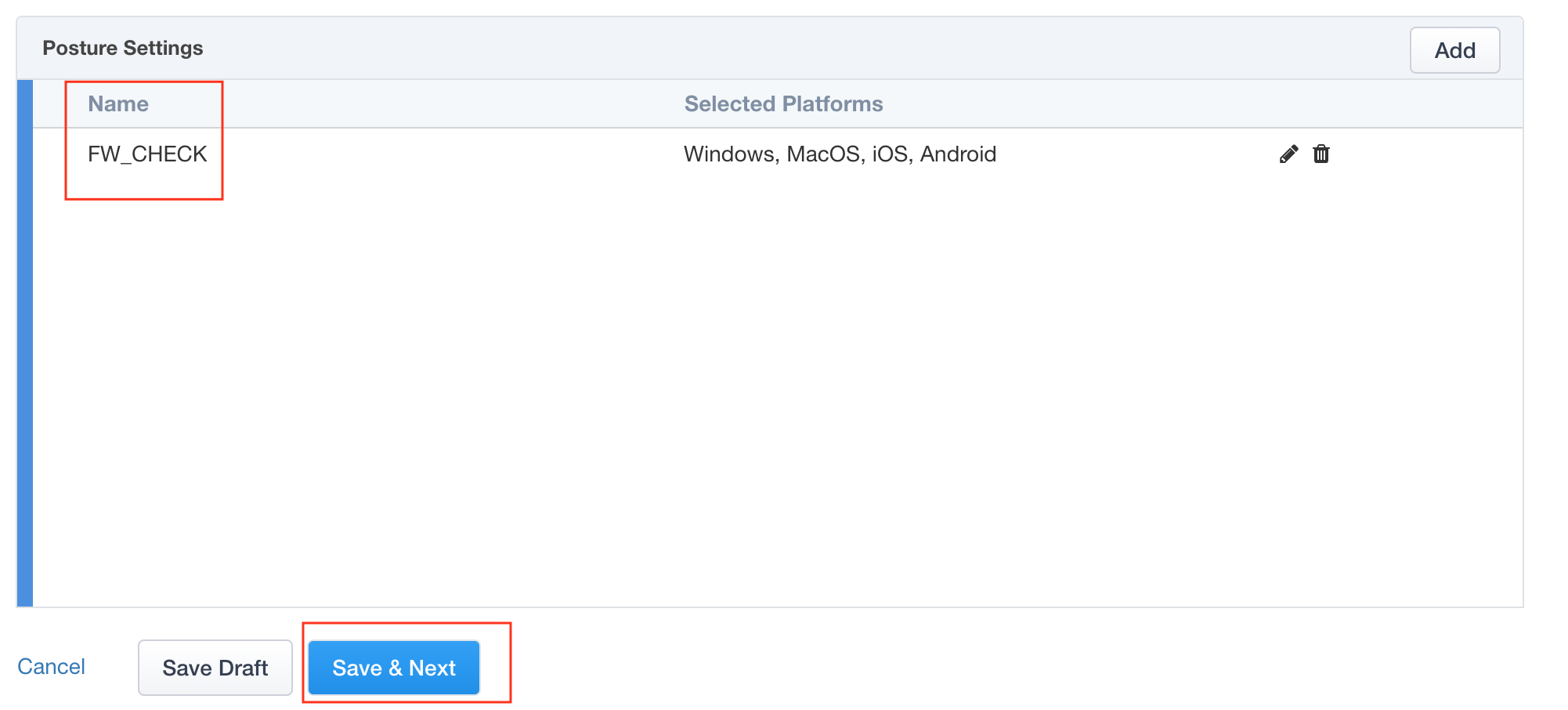
The Posture Settings box should contain FW_CHECK
Click Save & Next