Access 201: Zero Trust - Identity Aware Proxy > Class - Access 201: Zero Trust - Identity Aware Proxy > Module 1 - Create an Identity Aware Proxy Source |
Lab 1.3 - Virtual Server
In this section, you will define the virtual server IP address and its SSL profile settings
Task - Create a virtual server
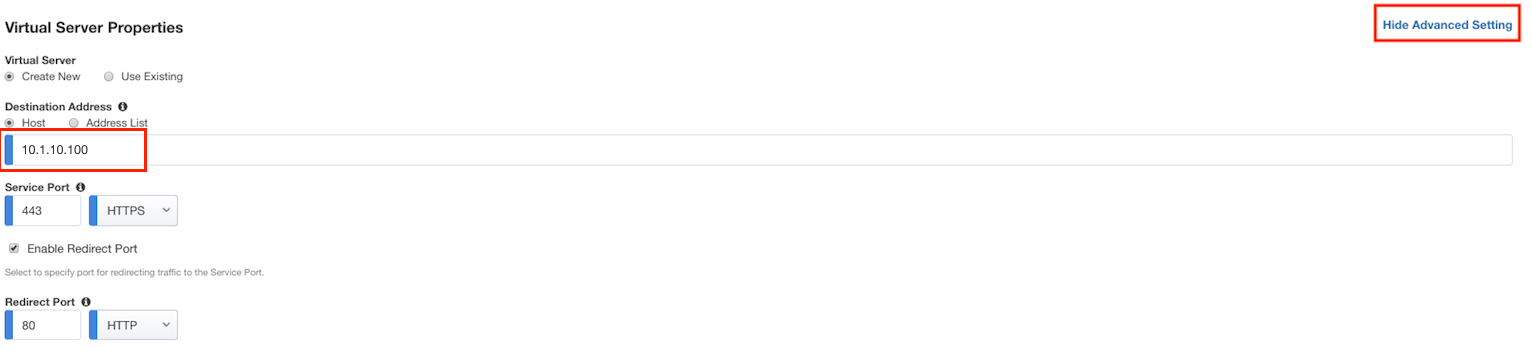
Click Show Advanced Setting located in the top right corner to expose the Server-Side SSL profile settings
Enter the IP address 10.1.10.100
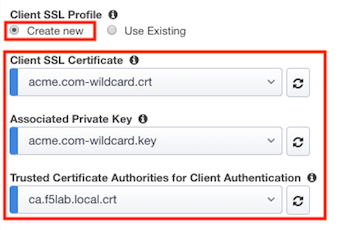
Click the Create New radio button under Client SSL Profile
Select acme.com-wildcard.crt from the Client SSL certificate dropdown box
Select acme.com-wildcard.key from the Associated Private Key dropdown box
Select ca.f5lab.local.crt from the Trusted Certificate Authorities for Client Authentication drop down box
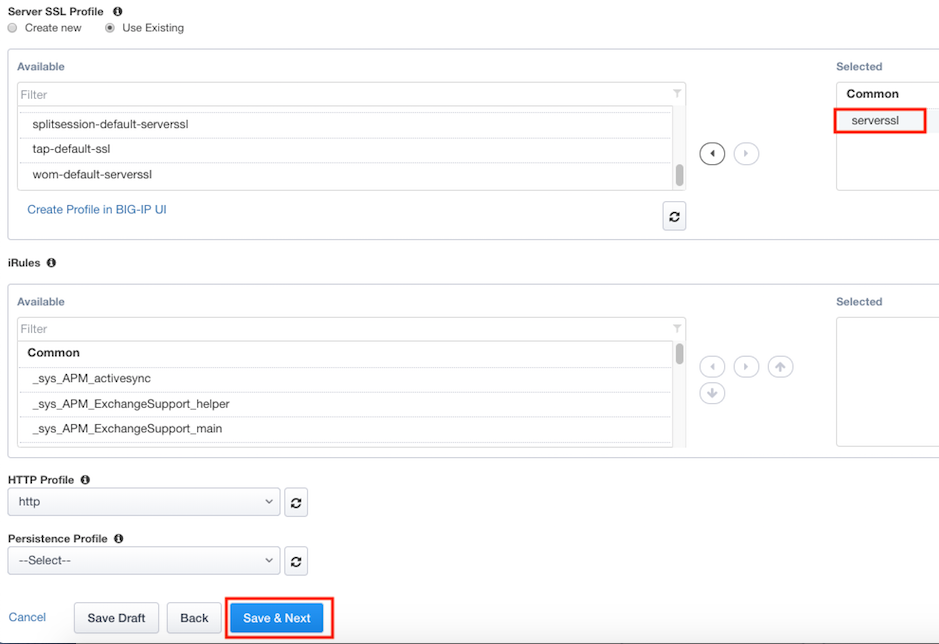
In the Server SSL Profile section, move the serverssl SSL Profile to the Selected side (select item and then click the right-arrow)
Click Save & Next