Access 201: Zero Trust - Identity Aware Proxy > Class - Access 201: Zero Trust - Identity Aware Proxy > Module 2 - Onboard a Second Application Source |
Lab 2.4 - Applications
In this section you will define a second application with subpaths.
Task - Configure Application header-iap.acme.com
Click the Applications icon from the ribbon.

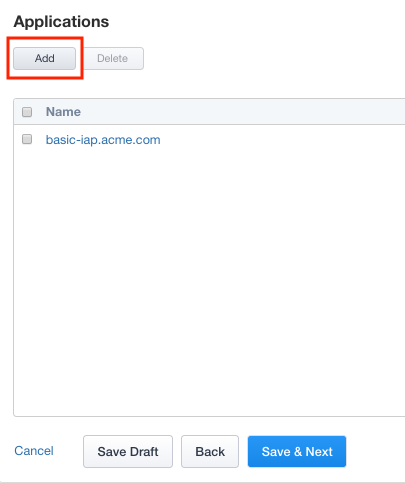
Click Add to create a new application
Click Show Advanced Setting in the top right corner to see additional properties
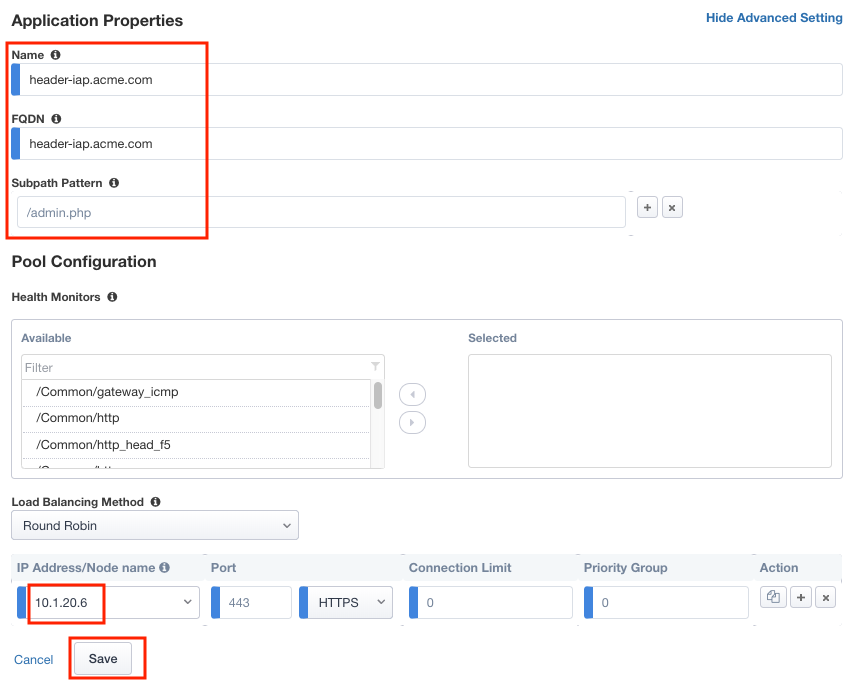
Enter Name header-iap.acme.com
Enter FQDN header-iap.acme.com
Enter Subpath Pattern /admin.php
Under Pool Configuration, you will create a node by entering 10.1.20.6 in the IP Address/Node name field. Note This may already exist in the drop down menu.
Verify the pool member properties of Port 443 and Protocol HTTPS
Click Save
Note
Subpaths are used in Application Groups to define contextual access on portions of an application (separate from the default contextual Access Policy). If necessary, an application can be split up into multiple Application Groups to meet an organization’s access control needs.
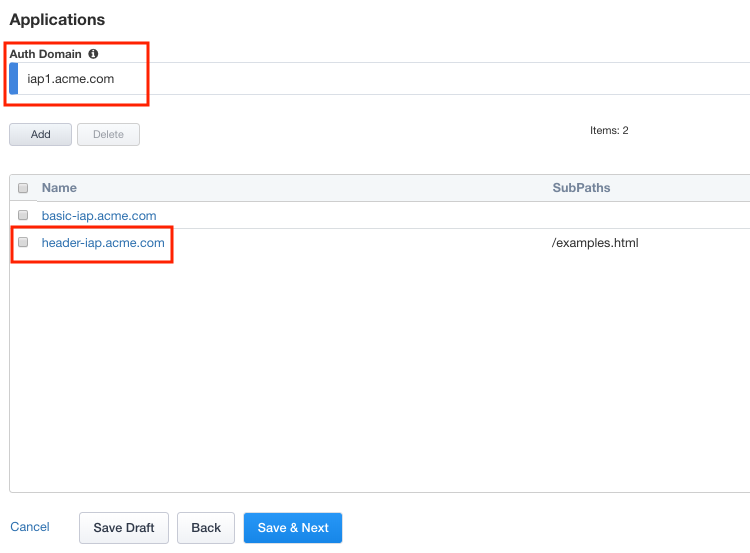
On the Applications menu, enter Auth Domain iap1.acme.com
Verify header-iap.acme.com was created.