Access 201: Zero Trust - Identity Aware Proxy > Class - Access 201: Zero Trust - Identity Aware Proxy > Module 2 - Onboard a Second Application Source |
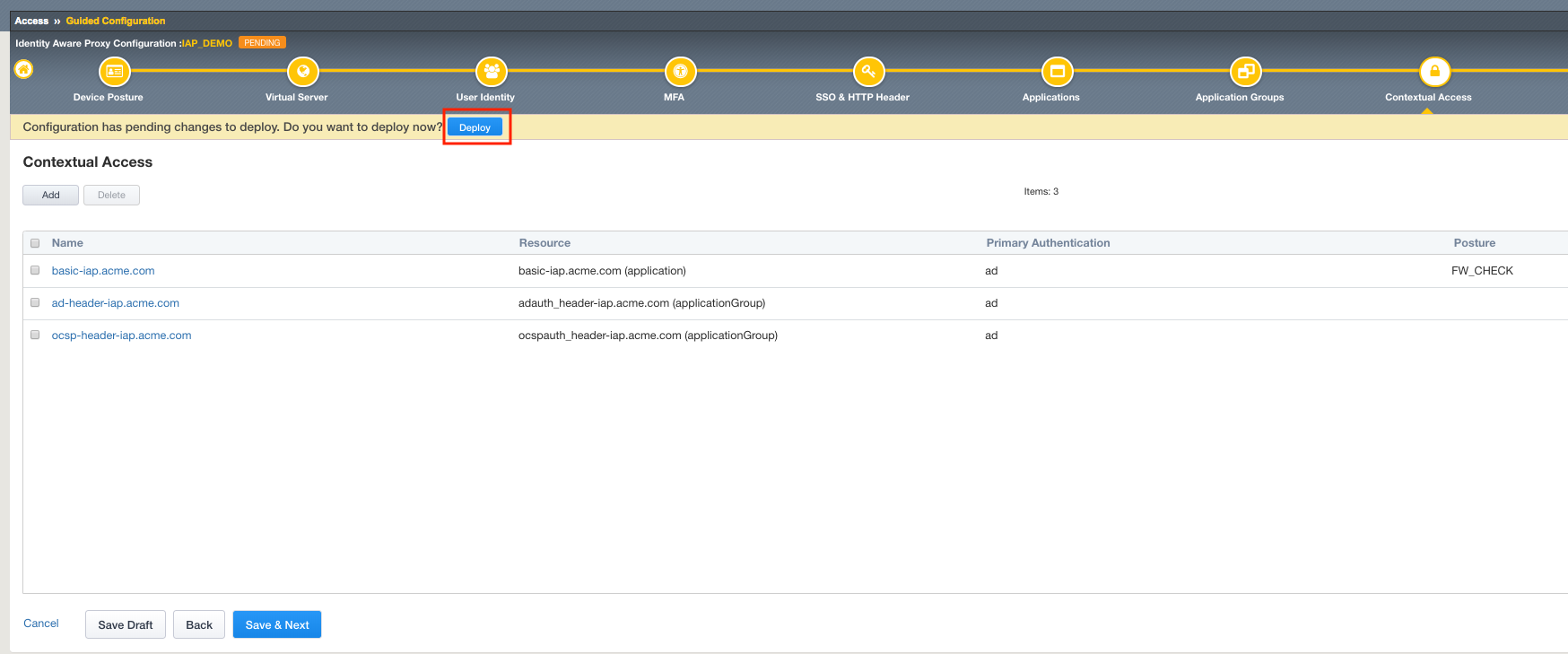
Lab 2.6 - Contextual Access
In this section you will configure Contextual Access for the previously created Application Groups
Task - Configure Contextual Access for adauth_header Group
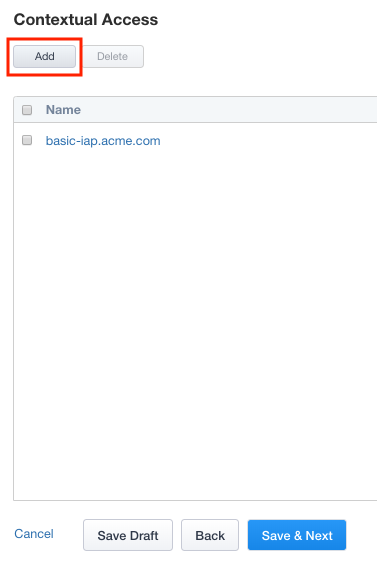
Click Contextual Access from the ribbon

Click Add
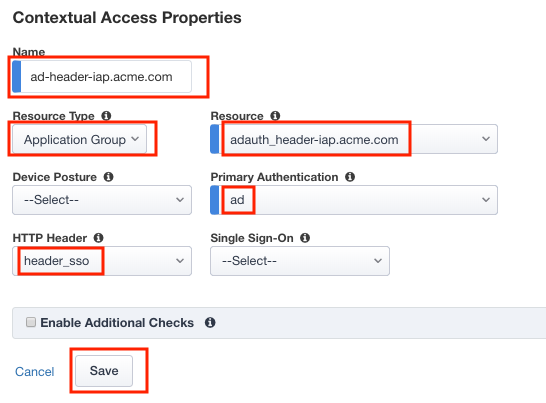
Enter Name ad-header-iap.acme.com
Select Application Group from the Resource Type dropdown
Select adauth_header-iap.acme.com from the Resource dropdown
Select ad from the Primary Authentication dropdown
Select header_sso from the HTTP_Header dropdown
Click Save
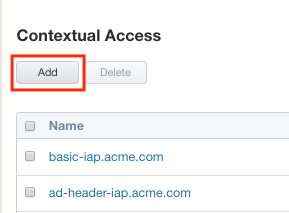
Task - Configure Contextual Access for ocspauth_header Group
Click Add
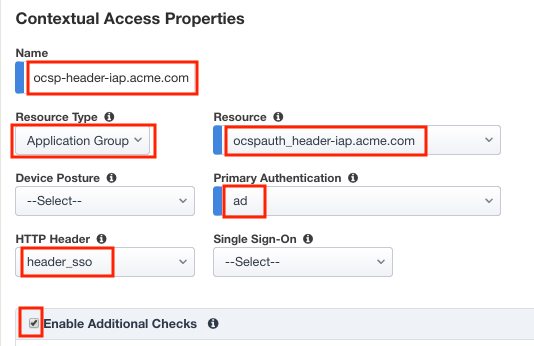
Enter Name ocsp-header-iap.acme.com
Select Application Group from the Resource Type dropdown
Select ocspauth_header-iap.acme.com from the Resource dropdown
Select ad from the Primary Authentication dropdown
Select header_sso from the HTTP_Header dropdown
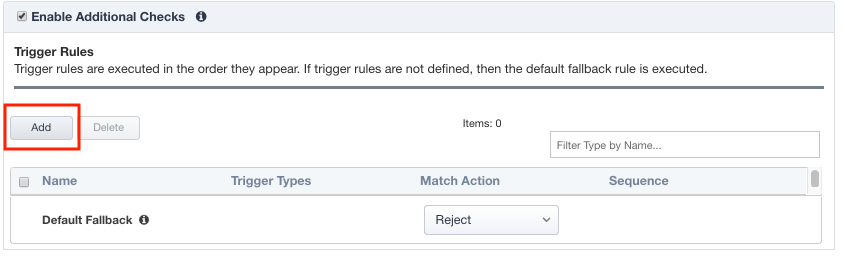
Check Enable Additional Checks
Click Add to add a Trigger Rule
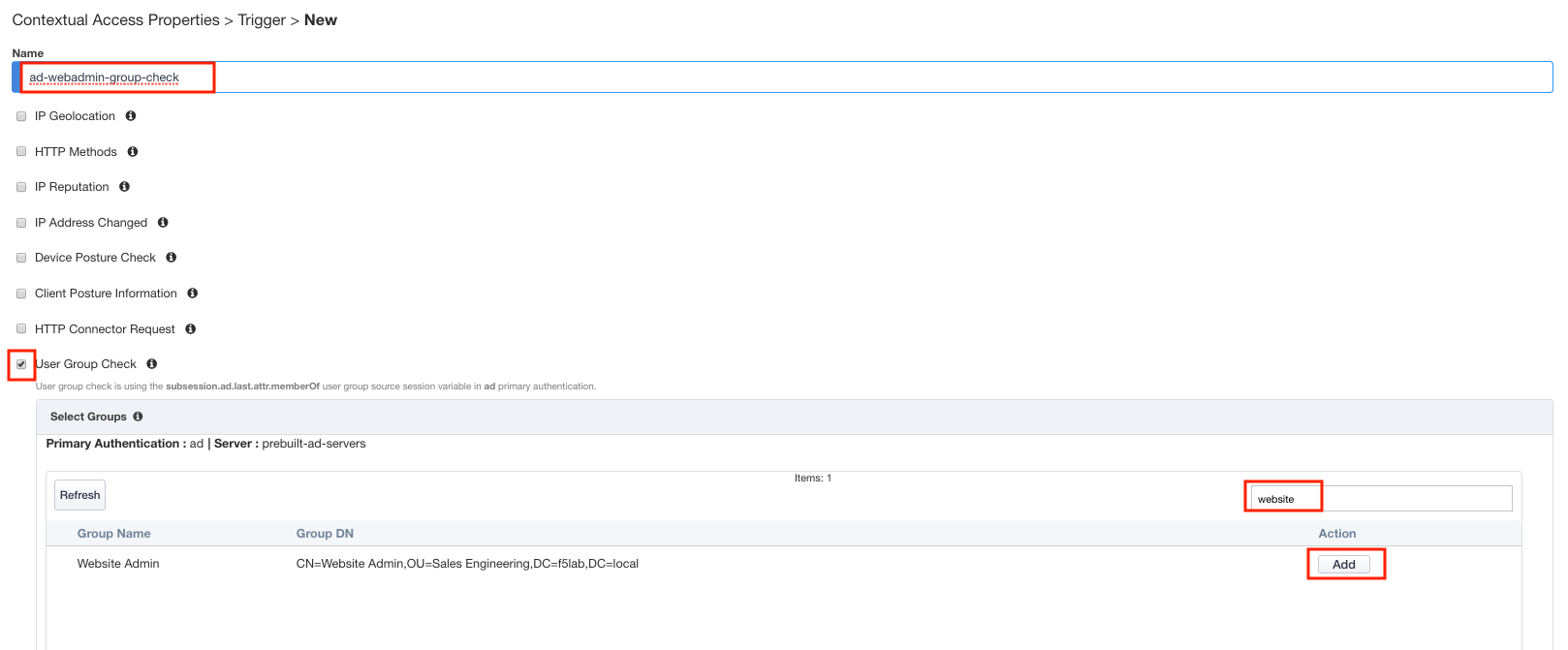
Enter Name ad-webadmin-group-check
Check User Group Check
Locate the Website Admin group
Tip
Try using the filter field to search
Click Add under the Action column
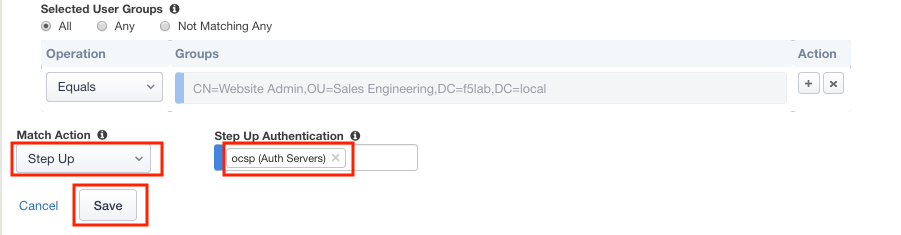
Select Step Up from the Match Action dropdown
Select ocsp from the Step Up Authentication dropdown
Click Save
Click Save again to save the Contextual Access Properties for ocsp-header-iap.acme.com
Click Deploy located under the ribbon. Deployment will take a few moments.