Access 201: Zero Trust - Identity Aware Proxy > Class - Access 201: Zero Trust - Identity Aware Proxy > Module 2 - Onboard a Second Application Source |
Lab 2.7 - Testing
In this section you will use user1’s credentials to default website header-iap.acme.com. However, when you attempt to access the admin page you will be prompted for certificate based authentication. After a successful login you will close your browser and login to default website using user2’s credentials. User2 will be denied due to not having the correct AD groups.
Task - Login to header-iap.acme.com using user1
Open a new browser tab
Access the site https://header-iap.acme.com
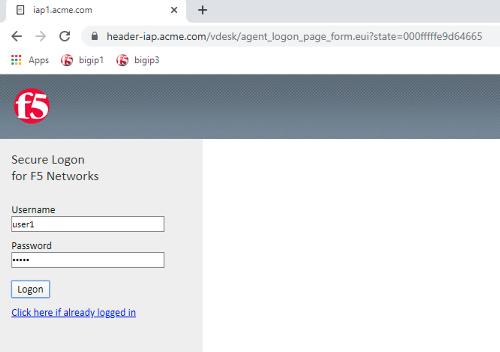
At the logon page enter the Username: user1 and Password: user1
Click Logon
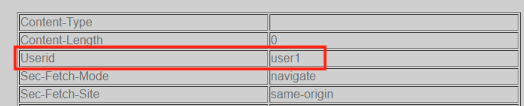
Notice the custom header UserID has a value of user1
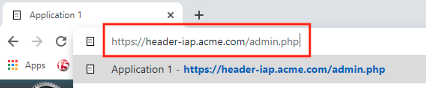
Access the admin portion of the website https://header-iap.acme.com/admin.php
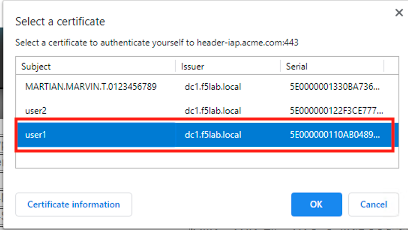
Select the certificate user1
Click OK
You should be successfully logged into the admin portion of the site.

Close the browser completely.
Task - Login to header-iap.acme.com using user2
Open a new browser window.
Access the site https://header-iap.acme.com
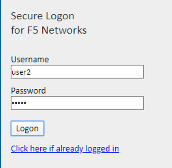
At the logon page enter the Username: user2 and Password: user2
Click Logon
Notice the custom header UserID has a value of user2

Access the admin portion of the website https://header-iap.acme.com/admin.php
You receive a Access Denied page due to not having the correct group membership